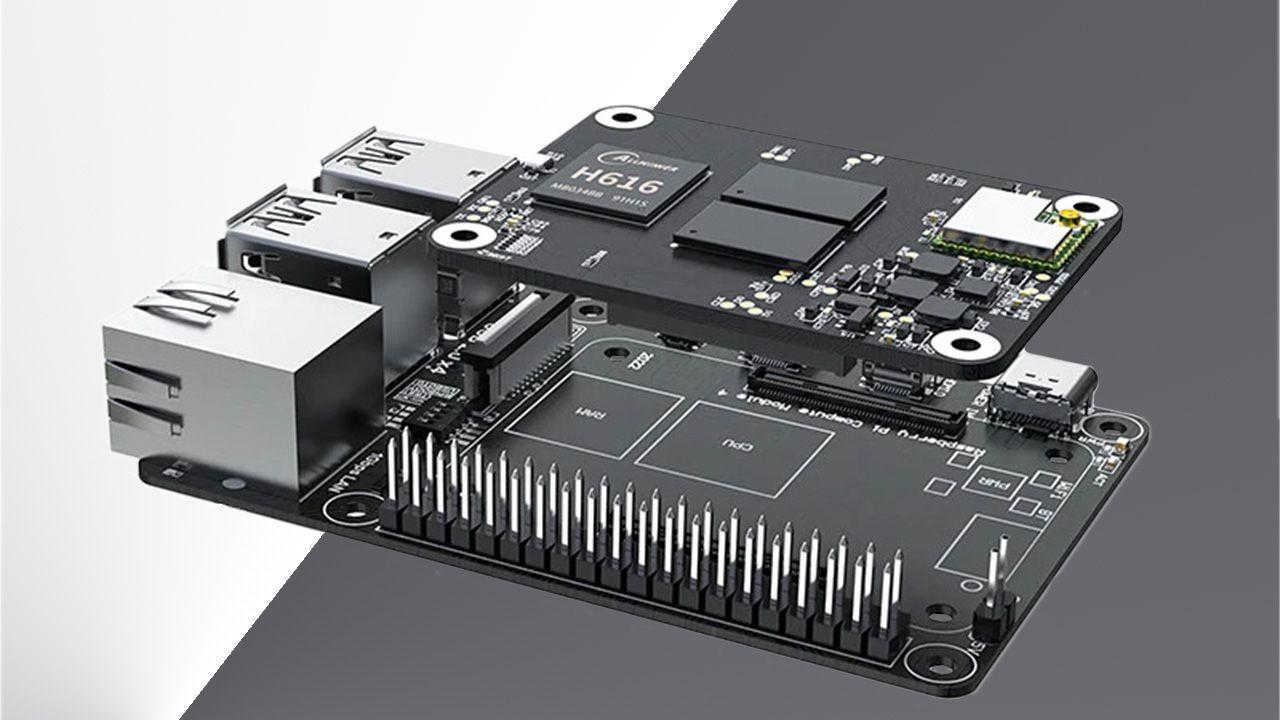
BigTreeTech’s CB1 compute module offered a different route into the Raspberry Pi Compute Module 4 form factor in October 2022: a similarly sized board built around an Allwinner processor, with more modest specifications and a carrier-board bundle priced at around $40 at the time.
For a company best known for 3D printing accessories, the module extended its hardware offering into compact Linux computing. Tom’s Hardware reported that the CB1 could suit low-power IoT projects, while its expected performance was closer to a Raspberry Pi 3 than a Pi 4.
A CM4-sized board with an Allwinner H616
The CB1 measured 55 x 40 x 4.7mm, matching the CM4’s dimensions. Its two board-to-board connectors also gave it a route to accessories designed for the Raspberry Pi module, according to Tom’s Hardware.
That physical format was central to its appeal. The Raspberry Pi 3 had appeared in a different compute-module format, using a DIMM-like board with a broad edge connector. The CB1 put hardware expected to deliver similar performance into the smaller CM4 footprint.
The core specifications were:
- Allwinner H616 quad-core Cortex-A53 processor running at 1.5GHz.
- Mali-G31 MP2 graphics.
- 1GB of DDR3 RAM.
- Wi-Fi 4 connectivity.
- 100Mbps Ethernet through a carrier board.
- Video decoding up to 4K at 60 frames per second, with a single HDMI output through a carrier board.
A separate carrier turned the module into a Raspberry Pi 4 B-style board. At the time of the October 2022 report, Biqu sold the CB1 bundled with the Pi adapter for approximately $40.
Those specifications positioned the CB1 below the Pi 4 in computing capability. Tom’s Hardware suggested a NAS or another low-power computing project as possible uses, although its Raspberry Pi 3 performance comparison was an expectation rather than a published benchmark result.
Debian at launch, with Klipper configuration documented
Software support was part of the CB1’s offering from the outset. The October 2022 coverage described a downloadable Debian Bullseye image hosted on GitHub, using Linux kernel 5.16. It also noted support for the chipset in Linux 6.0.
BigTreeTech’s CB1 software documentation covers both Klipper and minimal system variants under its V3.0.0 instructions. The minimal version follows a standard Armbian startup process, prompting the user to create an ordinary account after the first boot.
For printer builders, the documentation reaches beyond getting Linux running. It includes Wi-Fi configuration through the system.cfg file on the SD card’s BOOT partition, along with KlipperScreen display-rotation settings.
It also describes how to assign UART0 to Klipper for communication with a printer motherboard. UART0 serves as a debugging port by default; changing the console setting makes it available to Klipper as /dev/ttyS0.
Display and peripheral settings for printer builds
The CB1 documentation includes configuration options for HDMI screens that cannot report their resolution correctly through EDID. Users can specify an output resolution manually, with examples covering BigTreeTech’s HDMI7 and HDMI5 displays.
Peripheral options include an overlay for an MCP2515 SPI-to-CAN bus module and an SPI interface example for an ADXL345. BigTreeTech advises against enabling other SPI1 features alongside the MCP2515 because of its real-time requirements. For a printer integration, those interface settings were another part of the work beyond selecting a module and carrier board.