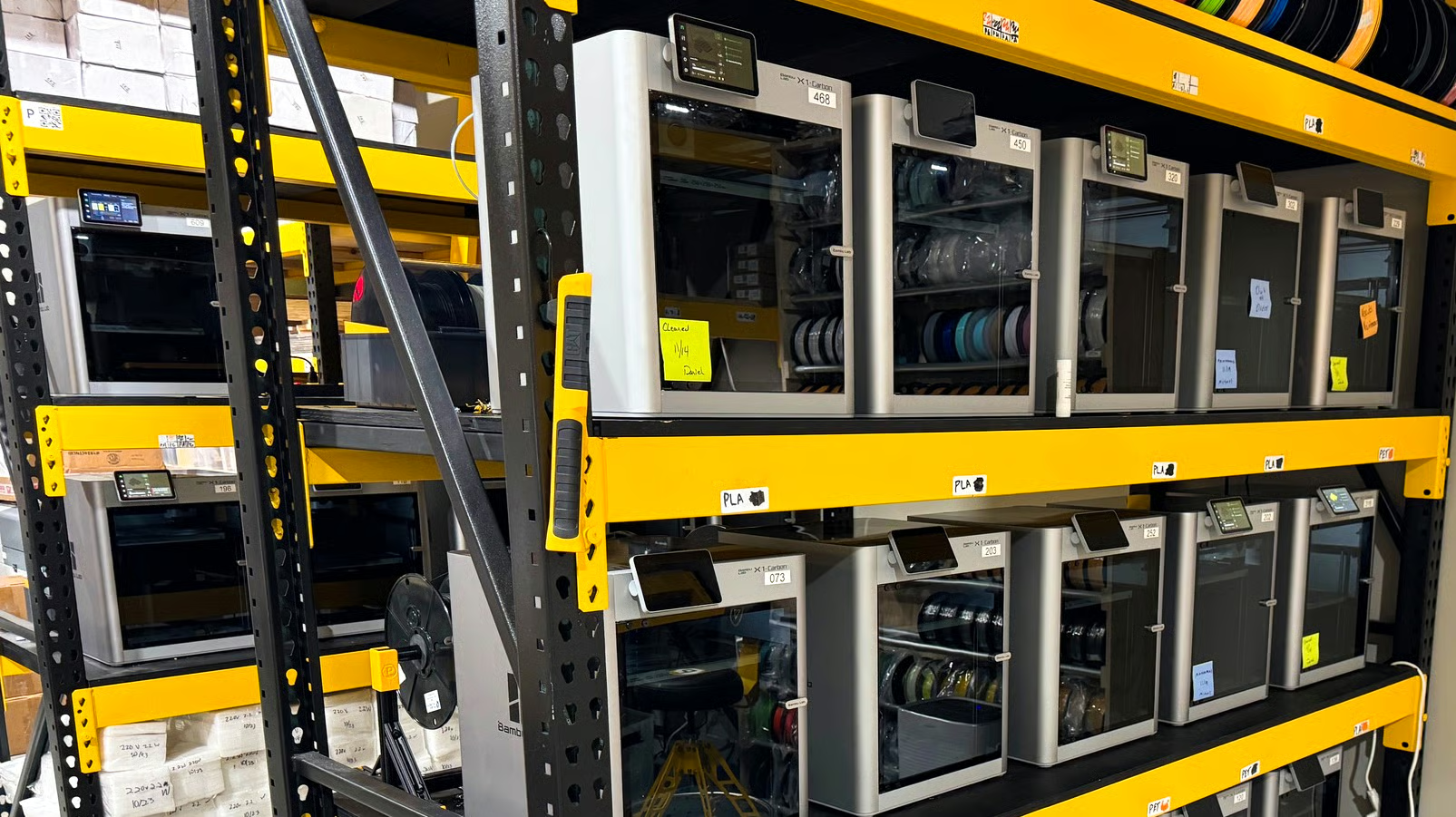
As 3D printing continues to scale from single machines to full production fleets, managing multiple printers efficiently has become a growing challenge. Bambu Lab, already well known for its fast, consumer-friendly 3D printers, has taken a significant step toward solving this problem with the release of Bambu Farm Manager, a free software tool designed to manage an unlimited number of Bambu Lab printers over a local network without relying on the cloud.
This move positions Bambu Lab more firmly in the professional and small-business print farm space, while also addressing long-standing concerns around privacy, reliability, and scalability.
What Is Bambu Farm Manager?
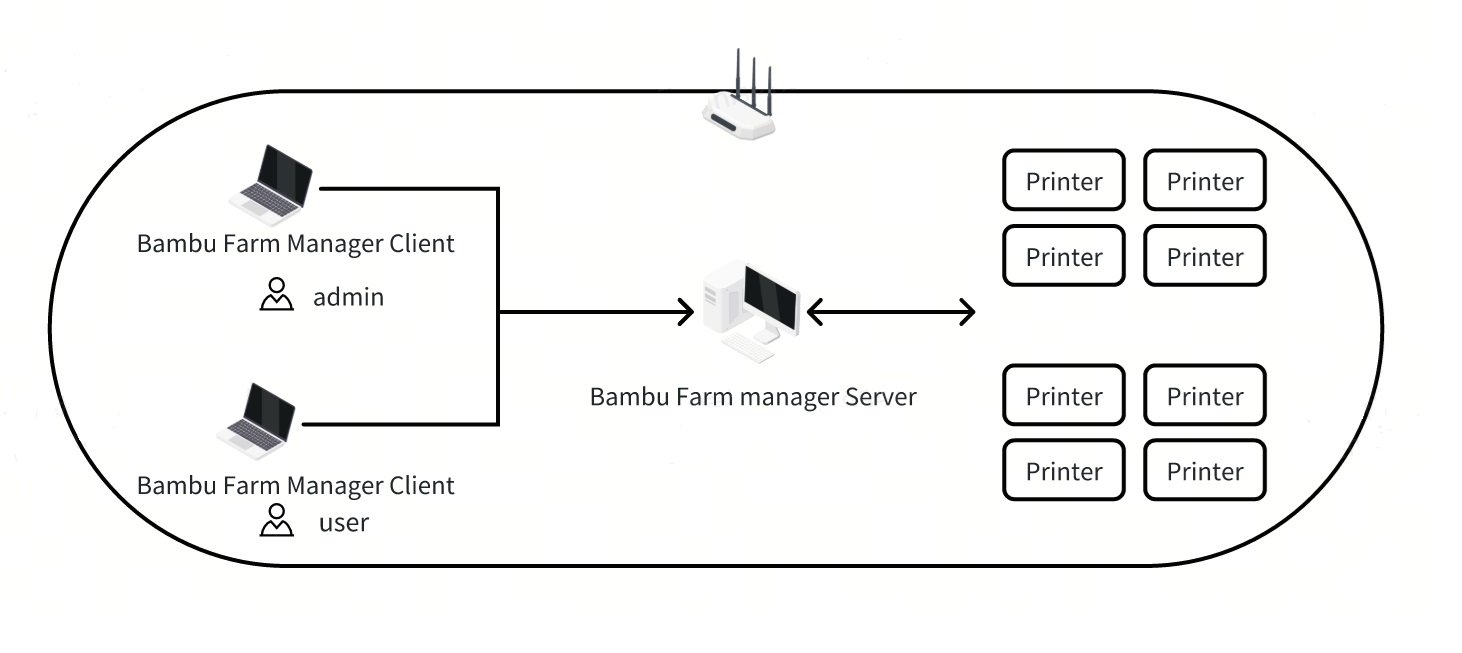
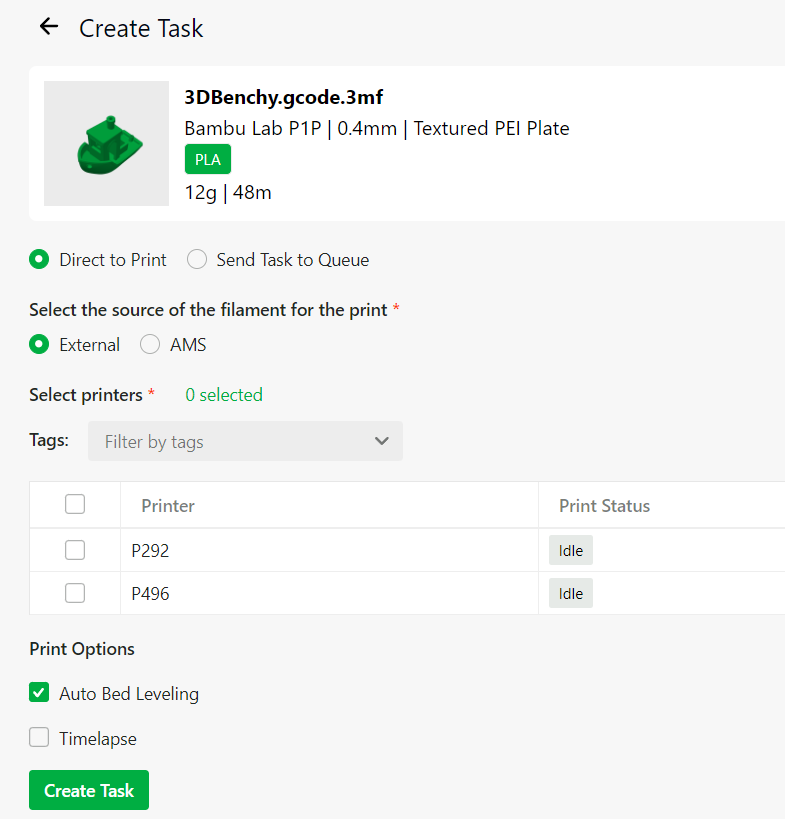
Bambu Farm Manager is a dedicated printer fleet management application that allows users to monitor, control, and coordinate multiple Bambu Lab printers from a single interface. Unlike Bambu Studio or Bambu Handy, which are primarily aimed at individual users and often rely on cloud connectivity, Farm Manager operates entirely on a local area network.
The software is split into two components:
- Farm Manager Server - which runs continuously and handles communication with all connected printers.
- Farm Manager Client - which provides the user interface for job management, monitoring, and control.
According to Bambu Lab, there is no fixed limit on the number of printers that can be connected. The only practical constraints are the performance of the host computer and the local network infrastructure.
Why Cloud-Free Operation Matters
Many existing printer management solutions depend heavily on cloud services. While this approach is convenient, it introduces several drawbacks that become more serious at scale.
By operating fully offline on a local network, Bambu Farm Manager offers several key advantages:
- Print files and models never leave the local environment, improving data security and intellectual property protection.
- Businesses and institutions with strict IT or compliance requirements can use the software without exceptions for external servers.
- Print operations remain functional even if internet access is lost or cloud services experience downtime.
- Latency is reduced, resulting in faster printer response and job dispatching.
For users producing proprietary parts, prototypes, or customer-owned designs, this local-first approach is a major benefit.
Features Designed for Print Farms
Bambu Farm Manager is not simply a monitoring tool. It is built to actively streamline high-volume printing workflows.
Key features include:
- Centralized dashboard
All connected printers can be viewed in one interface, showing status, progress, and alerts in real time. - Batch printer control
Users can send commands to multiple printers at once, such as starting, stopping, or pausing jobs across an entire fleet. - Automated job queuing
Print jobs can be queued and automatically assigned to the next available printer, reducing idle time and increasing throughput. - File organization and search
Models and print files can be organized, filtered, and searched, making it easier to manage large libraries of parts. - Power and load management
Print start times can be staggered to prevent sudden power spikes, which is especially important in workshops or farms with limited electrical capacity.
Together, these tools allow operators to treat dozens of printers as a coordinated system rather than a collection of independent machines.

Who This Software Is For
While the term “print farm” often implies large-scale commercial operations, Bambu Farm Manager targets a much broader audience.
It is well suited for:
- Print farms and service bureaus producing parts for customers
- Product design studios and engineering teams running continuous prototyping
- Schools, universities, and training centers managing classroom printer fleets
- Makerspaces and hobbyists operating multiple printers in a shared environment
The fact that the software is free significantly lowers the barrier to entry for small operations that previously relied on manual workflows or paid third-party tools.
Supported Printers and Platform Availability
At launch, Bambu Farm Manager supports most of Bambu Lab’s current lineup, including:
- X1 Carbon
- P1P and P1S
- A1 and A1 Mini
Support for enterprise-focused models such as the X1E and larger-format systems has been planned for future updates.
The initial release is available for Windows systems, with macOS and Linux support expected to follow as the software matures.
A Strategic Shift for Bambu Lab
Bambu Lab has often been criticized for its heavy reliance on cloud services, particularly by users concerned about privacy and long-term platform control. The introduction of a fully local, cloud-free management tool signals a meaningful shift in direction.
By offering Farm Manager at no cost, Bambu Lab is not only strengthening its ecosystem but also positioning itself as a serious contender in professional and semi-industrial 3D printing environments.
Final Thoughts
Bambu Farm Manager represents a major step forward for scalable desktop 3D printing. By combining centralized control, unlimited printer support, and offline operation in a free package, Bambu Lab is addressing one of the biggest pain points faced by growing print operations.
For anyone running multiple Bambu Lab printers, whether for business, education, or advanced hobby use, this software has the potential to dramatically simplify workflows and improve productivity.