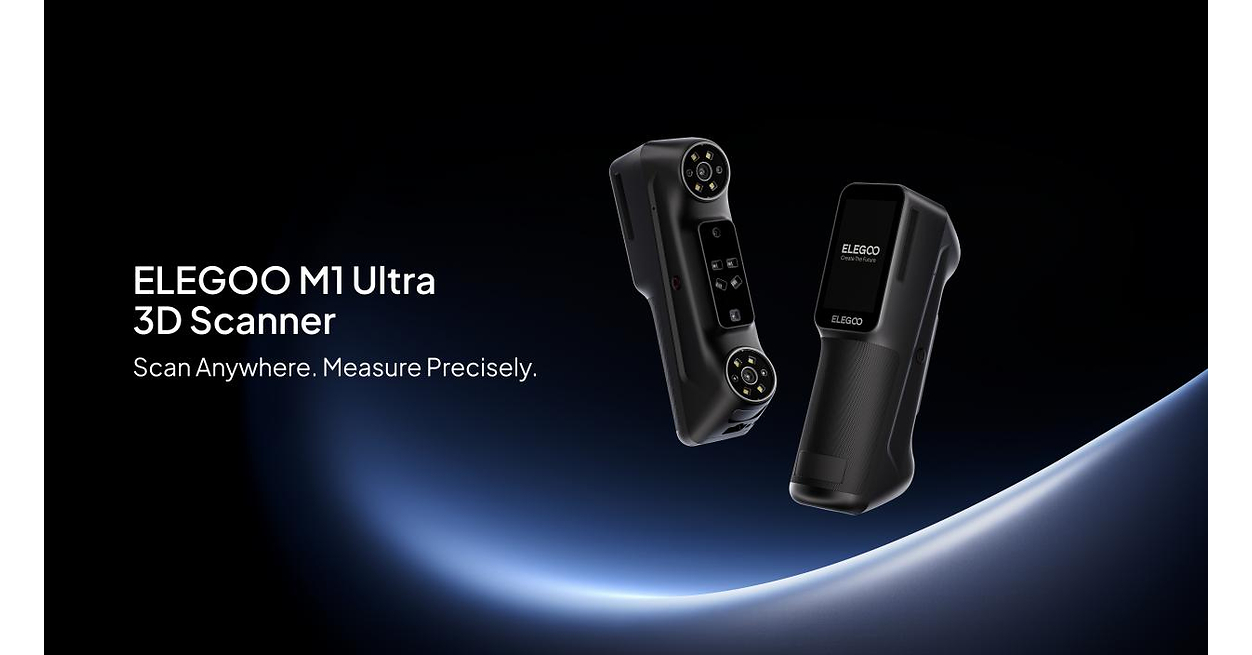
The Elegoo M1 Ultra brings battery-powered, wireless 3D scanning to a $1,599 launch price, but buyers still need a computer running Elegoo Scan. Its built-in touchscreen makes handheld operation easier, while blue laser and infrared modes cover different kinds of objects.
Elegoo launched its first 3D scanner on October 29, 2026. Early testing by Hackster found its crossed-line and parallel-line laser modes worked well, although tight holes, small protrusions and difficult surfaces presented problems. There is also an unresolved discrepancy over marker-free blue laser scanning between Elegoo’s advertised features and Hackster’s account.
Launch pricing runs through November 12
According to Elegoo’s launch announcement, early-bird pricing runs from October 29 through November 12, 2026:
- United States: $1,599, against a listed retail price of $1,699.
- Euro pricing: €1,599, against a listed retail price of €1,699.
- United Kingdom: £1,319, against a listed retail price of £1,399.
- Canada: CAD 2,299, against a listed retail price of CAD 2,399.
- Japan: JPY 284,999, against a listed retail price of JPY 299,999.
The scanner targets customization, reverse engineering, education and digital archiving, extending Elegoo’s hardware range into capturing physical objects for digital modeling and subsequent manufacturing workflows.
Wireless operation still depends on Elegoo Scan
Despite Elegoo’s “all-in-one” description, the M1 Ultra does not operate independently of a PC. Hackster’s October 29 review confirmed that wireless use requires staying within Wi-Fi range of a computer running Elegoo Scan. A USB-C cable provides tethered operation.
The hardware includes a 3-inch touchscreen, Wi-Fi 6 and a swappable 4,800 mAh battery. Elegoo rates wireless scanning time at up to 1.5 hours per battery. Hackster reported that its review package included two batteries, each with its own USB-C charging port, and measured the scanner’s weight with a battery installed at 511 g.
An onboard eight-core, 2.0 GHz processor handles part of the workload. Elegoo describes onboard capture, compression and image processing as sharing processing duties with the PC.
Hackster praised the scanner’s build quality, rubber grips and soft-touch body. Its reviewer also found calibration straightforward: following the software’s instructions with the supplied glass calibration board took only a couple of minutes.
Five advertised modes, with a marker-free discrepancy
Elegoo advertises five scanning modes, each aimed at a different task:
- 34 crossed blue laser lines for medium-to-large objects.
- Seven parallel blue laser lines for fine detail on small-to-medium parts.
- A single blue laser line for deep holes, narrow gaps and hard-to-reach geometry.
- Near-infrared structured light for faces, bodies and objects.
- Marker-free blue laser scanning for surfaces where applying markers is impractical.
That final option needs clarification. Both Elegoo’s product page and launch announcement explicitly list marker-free blue laser scanning. Hackster, however, described the blue laser modes it tested as requiring tracking markers, with infrared providing markerless capture. Its review does not explain the advertised marker-free laser option.
For its published performance specifications, Elegoo lists blue laser accuracy of up to 0.02 mm, compared with up to 0.05 mm for NIR. Listed 3D resolution ranges from 0.05 to 2 mm in the laser modes and 0.1 to 2 mm in NIR.
Capture rates also vary substantially by mode: 2,040,000 points per second for crossed lines, 840,000 for parallel lines, 120,000 for the single line and up to 6,451,200 for NIR. Elegoo gives the overall supported object size range as 5 × 5 × 5 mm to 4,000 × 4,000 × 4,000 mm.
Early tests expose limits on holes and reflective surfaces
Hackster’s reviewer focused primarily on mechanical parts. Crossed-line and parallel-line scanning worked well in those tests, but the single-line mode was less consistent, struggling with some of the deep holes and grooves it is intended to capture.
Small protrusions, shiny or transparent materials, and tight holes were recurring trouble spots. A Raspberry Pi scan was useful enough for an enclosure-design reference, the reviewer reported, but captured limited detail beyond that purpose.
Elegoo advertises direct scanning of black and metallic surfaces without coating powder. Hackster’s experience was more qualified: the reviewer recommended scanning spray for transparent, shiny and, in some cases, black objects. A transparent shower knob initially scanned poorly in both laser and infrared modes; applying scanning spray solved the problem.
Infrared capture worked well on organic shapes with enough irregularity to maintain tracking. Uniform forms, including spheres, cylinders and flat boards, often failed in Hackster’s testing.
Export formats support further modeling work
Elegoo Scan provides guided setup, tracking assistance and multi-scan alignment, followed by automated mesh wrapping, mesh optimization and color mapping. The M1 Ultra also supports 24-bit full-color texture mapping.
For moving captured geometry into other applications, the software exports STL, OBJ, PLY and ASC. Those options give users routes into compatible design and modeling software, including further preparation of scanned objects for 3D printing.